
Window Inspector is a basic program that lets you explore the Windows interface. Hover your cursor over any window, button, or desktop element, and the software will display the window’s class, title bar, properties, process ID, and even the command line.
If you require Window Inspector for work or troubleshooting, you can get it for free here. The program is frequently free, but if you need it, the archive contains all you need for limitless use, including a portable version.
The interface is logically split and straightforward: on the left is the process tree, which displays all connected windows; on the right is comprehensive information. Double-click any item to explore its properties, icons, and hidden qualities.
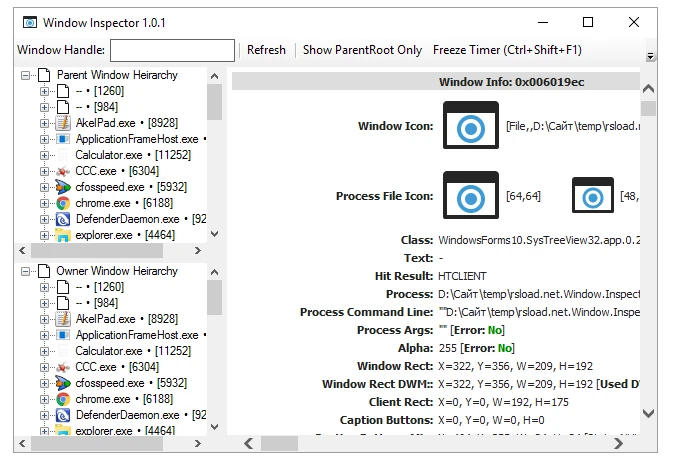
Some intriguing features:
- To discover the window class, use a top-level script that displays the cursor’s exact coordinates and the full path to the executable.
- You can copy the supplied information to the clipboard.
- There is an option to pause data collection for a specified window.
This is an excellent topic for developers and those who want to understand how the system works.