Looking for a powerful and cost-effective solution to recover lost or corrupted data? R-Studio Data Recovery is ready to help! This software is intended for data recovery specialists, system administrators, and IT experts. It combines complex recovery technology with an intuitive interface, making it accessible to both novice and experienced users.
R-Studio can recover data from local disks, removable drives, severely corrupted or unbootable disks, and even networked or internet-connected clients. It works on formatted, damaged, or erased partitions and provides customizable parameter settings for maximum control over the recovery process.
Whether you’re dealing with small-scale data loss or large-scale forensic investigations, R-Studio has the tools you need to recover vital files rapidly.
Are you ready to retrieve your data? Download and install R-Studio Data Recovery now! Once you’ve experienced it, let us know how the review compares to your experience. Did we cover all of your favourite features? If you notice anything missing, please leave a comment below. Start restoring your files right now!
Features of R-Studio’s Data Recovery Network
R-Studio utilities can recover files:
- Deleted without the Recycle Bin or after it has been emptied;
- Removed due to a viral attack or power outage.
- After the partition containing the files was reformatted, even for distinct file systems.
- When the partition structure on a hard drive is altered or damaged, R-Studio utilities can scan the hard disk for existing partitions and recover files from them.
- From a hard disk with damaged sectors. R-Studio Data Recovery Software can first copy the entire drive or a portion of it into an image file, which it then processes. This is especially important when faulty sectors keep emerging on the hard disk and the remaining data needs to be rescued right away.
R-Studio’s Data Recovery Features:
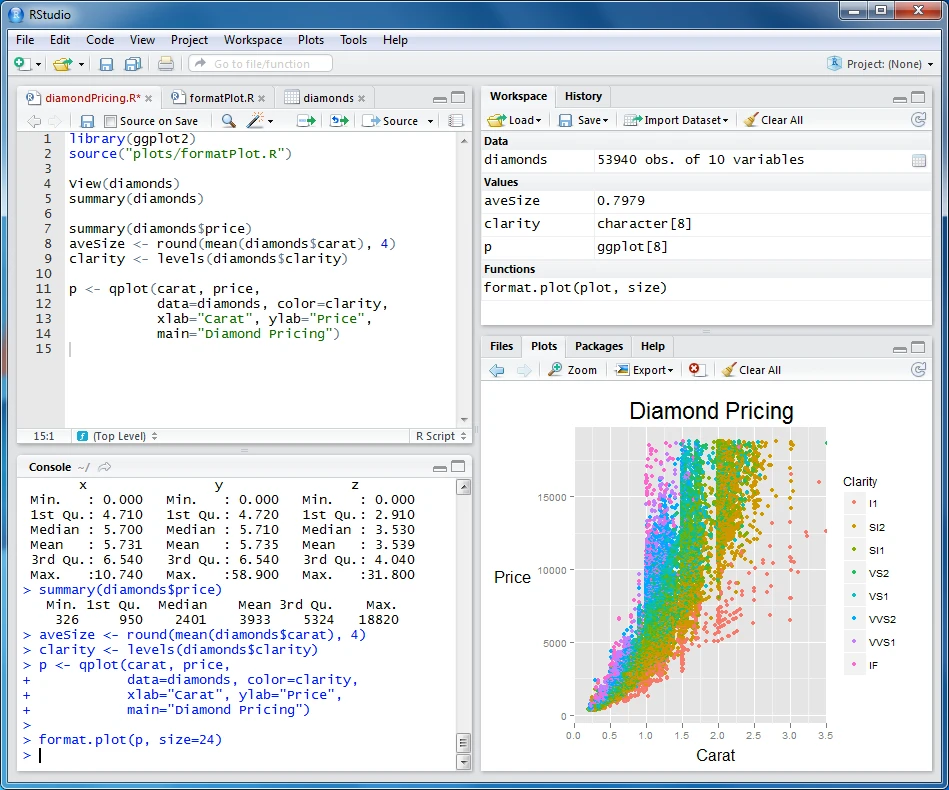
- Standard Windows Explorer-style interface.
- Host operating systems include Windows 2000, XP, 2003 Server, Vista, 7, 8, 10, 11, and Windows Server 2008, 2012.
- Data recovery across the network. Files can be retrieved from network PCs running Windows 2000/XP/2003/Vista/Windows 7/Windows 8/Windows 10/Windows 11, Windows Server 2008 & 2012, Macintosh, Linux, and UNIX.
- File systems supported include FAT12, FAT16, FAT32, exFAT, NTFS, NTFS5, ReFS (a new file system introduced in Windows 2012 Server), Macintosh HFS/HFS+, Little and Big Endian variations of UFS1/UFS2 (FreeBSD/OpenBSD/NetBSD/Solaris), and Linux Ext2/Ext3/Ext4 FS.
- Scan for Known File types (raw file recovery): If the disk file system is severely damaged or unsupported, R-Studio looks for predefined data patterns (“file signatures”) common to specific file types (Microsoft Office documents, JPEGs, etc.). These well-known file types can be customized.
- Recognition and Parsing Dynamic (Windows 2000/XP/2003/Vista/2008/Win7), Basic (MBR), and BSD (UNIX) partition layout schemas, as well as the Apple partition map. Dynamic partitions using GPT and MBR are also supported.
- Damaged RAID recovery. If the operating system does not detect your RAID, you can create a virtual RAID using its components. Such a virtual RAID can be treated just like a real one.
- Creates IMAGE FILES for the whole hard disk, partition, or its component. Such picture files can be compressed and split into multiple files for storage on CD/DVD/flash media or on FAT16/FAT32/exFAT-formatted drives. The image files can then be processed the same way as regular disks.
- Data recovery from damaged or destroyed disks, encrypted files (NTFS 5), and alternative data streams (NTFS, NTFS 5).
Recovering data if:
- Use of FDISK or other disk utilities. – Infection with a virus. – Damage to FAT or MBR.
Recognises localized names.
Recovered files can be stored on any (including network) disk available to the host operating system.
The powerful hexadecimal editor lets you view and edit file or disk contents. The editor supports editing NTFS file attributes.
R Studio Technician Edition
R-Studio Technician Edition provides powerful data recovery tools for Windows. It enables specialists to recover lost files from formatted hard drives, faulty partitions, and RAID systems. It swiftly retrieves data, including documents, photographs, and multimedia, with an easy-to-use interface, ensuring complete and dependable recovery for expert specialists.
R Studio Network Edition
R-Studio Network Edition provides seamless data recovery across all connected devices, enabling users to recover lost files and partitions quickly. Its user-friendly interface, advanced search features, and network support make it a practical choice for data restoration in a collaborative setting.
Portable R-Studio Data Recovery
Portable R-Studio Data Recovery allows you to bring your data recovery tools with you wherever you go! No installation is necessary; run it from a USB or external device. It is ideal for IT professionals and forensic experts, as it includes all desktop functionality, allowing you to recover data at any time and from any location without leaving traces on the host machine.
How can I restore lost data in R-Studio?
- Open R-Studio and select the drive containing the deleted data.
- Right-click and select “Scan for Known File Types.”
- After scanning, examine the recovered files.
- Select the relevant files and click “Recover Marked.”
- Choose a location to save the retrieved data.