
Discover Process Lasso Pro, a breakthrough tool for improving the performance and stability of your PC. Unlike Windows’ default settings, Process Lasso lets you regain control of CPU utilisation, reducing freezes and hangs caused by resource-hungry apps. Process Lasso Pro’s straightforward UI and strong capabilities ensure that your computer runs smoothly and responsively. Say goodbye to inconvenient slowdowns and hello to a more comfortable computing experience. Download Process Lasso Pro from the developer’s website today and maximise your Windows machine’s performance.
Process Lasso’s ProBalance technology intelligently manages running programs, ensuring that unruly apps do not impede your computer’s functionality. Furthermore, Process Lasso supports a variety of features, including default process priorities and affinities, termination of banned processes, instance count limitations, a system responsiveness graph, process logging, auto-restart for specified processes, and much more. Process Lasso provides all you need to enhance your computer’s performance and keep it running smoothly.
Best of all, Process-Lasso’s core process management engine is entirely separate from the GUI. This implies it can complete its task with essentially no system resources and without making a sound. You probably won’t realise it’s running, but you’ll definitely notice when you uninstall it.
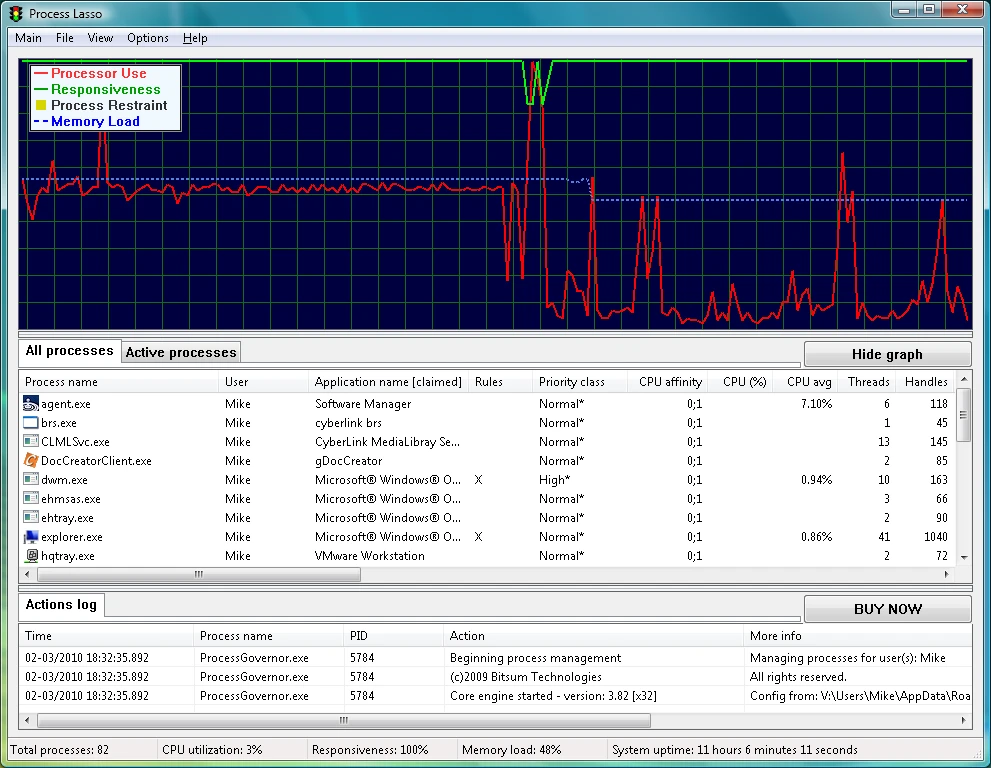
Features of Process Lasso Pro:
- ProBalance Dynamic Priority Optimisation
- Works well with desktops, laptops, and netbooks.
- Persistent (sticky) priorities and CPU affinity
- Limits on the number of instances
- Disallowed processes
- Keep processes running (auto-restart)
- Unique graph of system responsiveness
- Prevent PC sleep for specific processes.
- Differentiate between svchost.exe instances.
- Extremely low resource use.
- Stand-alone process management engine (utilises as little as 1MB of RAM).
- Event tracking