PDF Annotator for Windows is a robust application that makes working with PDF files efficient and straightforward. This software lets you open any PDF file and add comments, notes, or drawings directly to it using your mouse or a pen on a Tablet PC, eliminating the need to switch between apps or print documents for annotations. Everything happens on your screen, keeping your workflow fluid and paperless.
Whether you’re reviewing, proofreading, or exchanging ideas, PDF Annotator lets you highlight text, add sticky notes, or draw sketches straight on your document. When you’re finished, save the annotated file back to PDF format. This makes it easy to share with others via email or save for later use.
Annotating PDFs on a Tablet PC feels just as natural as writing on paper. You may easily mark key points, make adjustments, and sketch ideas – all digitally. This saves time and resources while keeping your tasks environmentally friendly.
PDF Annotator is a must-have for students, professors, office workers, and anybody who frequently works with PDF files. Download PDF Annotator for Windows now and enjoy effortless PDF editing!
PDF Annotator also allows you to add blank pages to make additional space for your remarks. It can be used to fill out forms and take notes by producing fresh blank PDF documents.
Add notes and annotations to any PDF document, including comments, corrections, signatures, highlighting, and designs and drawings.
Save the annotations in the original file. Share them with coworkers, email them to partners, or return to the authors – no extra software is required to see the marked-up document.
Type comments on top of PDF content, insert images, and utilize a pen or drawing pad if you have one.
Return to the original document at any time. Remove or hide all markup with a single click.
Insert blank pages to make additional space. Or leave comments anywhere on the pages.
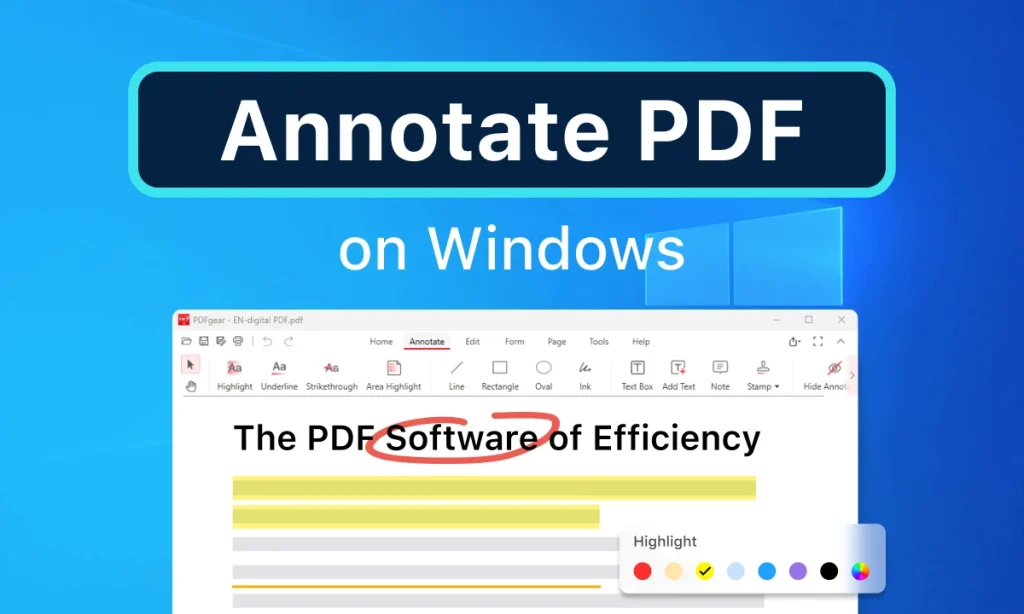
Features of PDF Annotator for Windows:
Annotation Manager on the Sidebar
- Get a rapid overview of all the annotations in a document
. • Access any annotations instantly. - Perform operations on any set of annotations.
Filter Annotations
- Use the new Annotations sidebar to view only a filtered selection of your annotations.
• Search by type, color, or page number.
Print Annotation Overviews
• Print a thorough list with thumbnail previews of each annotation in a document.
- Print an overview that shows the pages with notes.