Notepad++ for Windows is a lightweight yet sophisticated source code editor designed as a quick, feature-rich alternative to the default Notepad. Designed with developers in mind, it supports a wide range of programming languages and provides extensive editing tools while retaining excellent performance and resource efficiency. Notepad++ is based on the Scintilla editing component and was created in C++ using the Win32 API. It is fast, flexible, and reliable. It is perfect for scripting, script editing, configuration file management, and ordinary text editing on Windows.
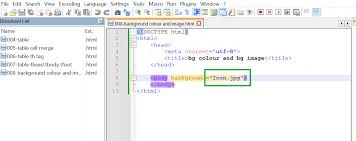
Key Features of Notepad++:
- Syntax Highlighting and Folding: Supports several programming languages with colour-coded syntax and foldable code chunks for better readability and navigation.
- Multi-Document Editing: Allows you to work on multiple files at once using tabbed editing, increasing productivity when managing large coding projects.
- Multi-View Editing: Allows for the comparison or simultaneous editing of multiple files or parts of the same document.
- Users can specify their own language rules, such as keywords, operators, comments, and folding styles, to meet specific scripting requirements.
- Regular Expression Search: Advanced search and replace with regular expressions quickly and efficiently locates complex text patterns in documents.
- Style Configurator: Customise fonts, colourss, and styles for each supported languag,to createn a more pleasan, personalisedd coding experience.
- Drag and Drop Support: You can easily open files or reorganise documents by dragging them into the editor or between views without navigating intricate menus.
- File Status Auto-Detection: This feature detects external changes or deletions to files and prompts users to reload or update the open document safely.
- Bookmark & Navigation Tools: Use bookmarks within code to quickly navigate long files and complex projects.
- Zoom and display controls allow you to instantly zoom in or out of text, boosting readability during presentations, debugging sessions, or comprehensive code reviews.
Why Choose Notepad++?
Notepad++ stands out as the Best Free option for developers seeking speed, stability, and customisation. It runs smoothly even on the most basic hardware and allows substantial customisation of various programming methods. The editor strikes a mix between powerful functionality and a straightforward interface, making it appropriate for both new and experienced coders. As a Free Notepad solution, it offers professional-level editing features, consistent performance, and extensive language support, making it an indispensable partner for everyday development and text editing.
Benefits of Notepad++ Portable Edition:
The portable edition requires no installation and does not modify the Windows registry, resulting in a clean, secure environment. You can take the editor on a USB flash drive and use it on many computers, retaining your chosen settings and tools while working without leaving any traces on the host machine.