💡 How to Download Files Easily
We use high-speed & secure servers (UpnFile & UploadCafe).
Please follow the steps below to download without any issues.
🚀 General Steps (Start Here)
🔹 Step 1: Click the “Download Now” Button
Scroll to the bottom of the software post and click on the blue Download Now button.
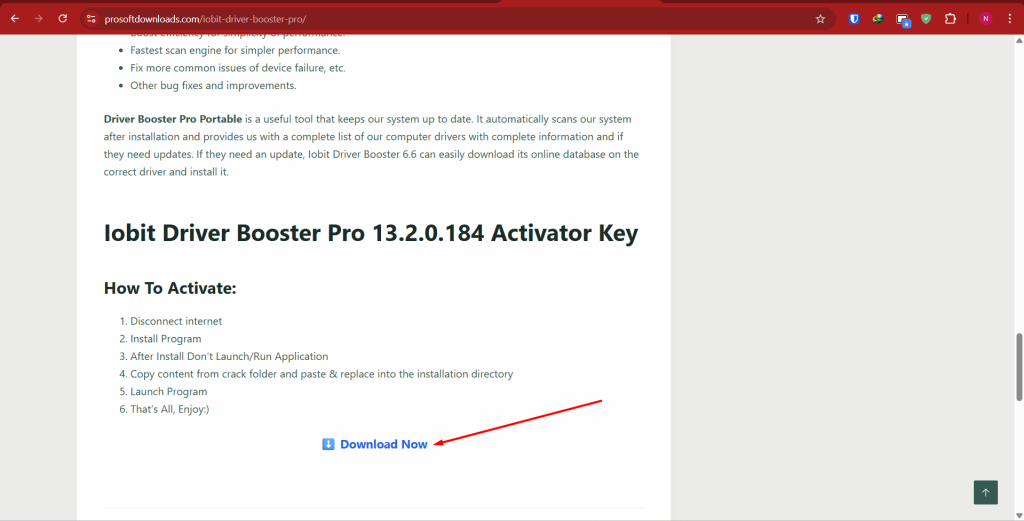
🔹 Step 2: Select a Server Link
You will see a list of available links. You can choose either UpnFile or UploadCafe.

🔵 Method 1: UpnFile (Recommended)
🔹 Step 3: Click the Link & Continue
Click on the UpnFile link. On the first page, click the “Continue” button.
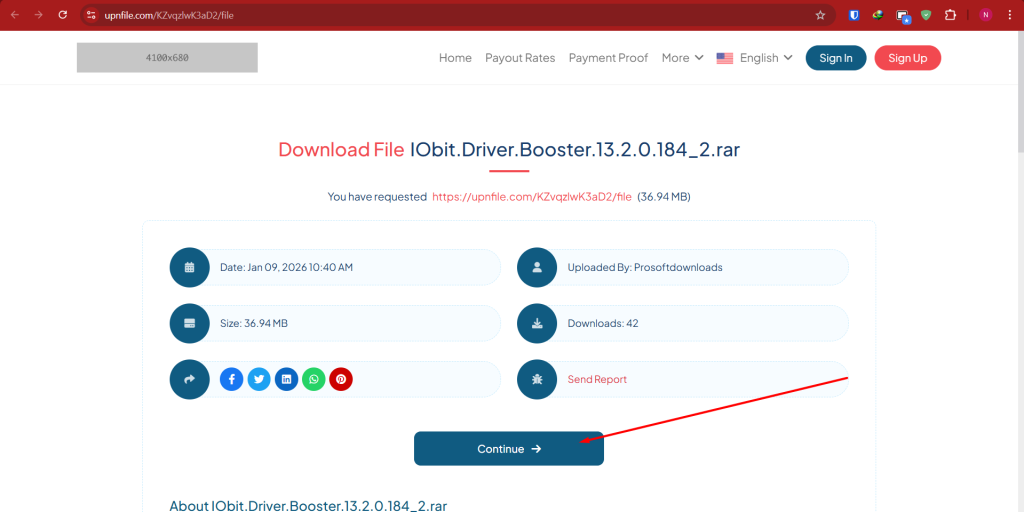
🔹 Step 4: Create Download Link
On the next page, wait for a few seconds and click “Create Download Link”.
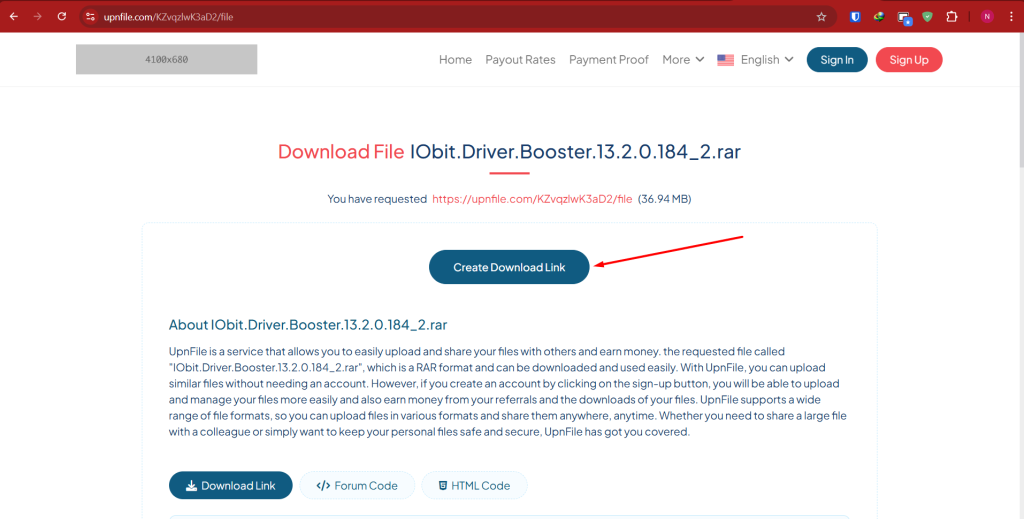
🔹 Step 5: Start Download
Finally, click the “Click Here to Download” button to save the file.
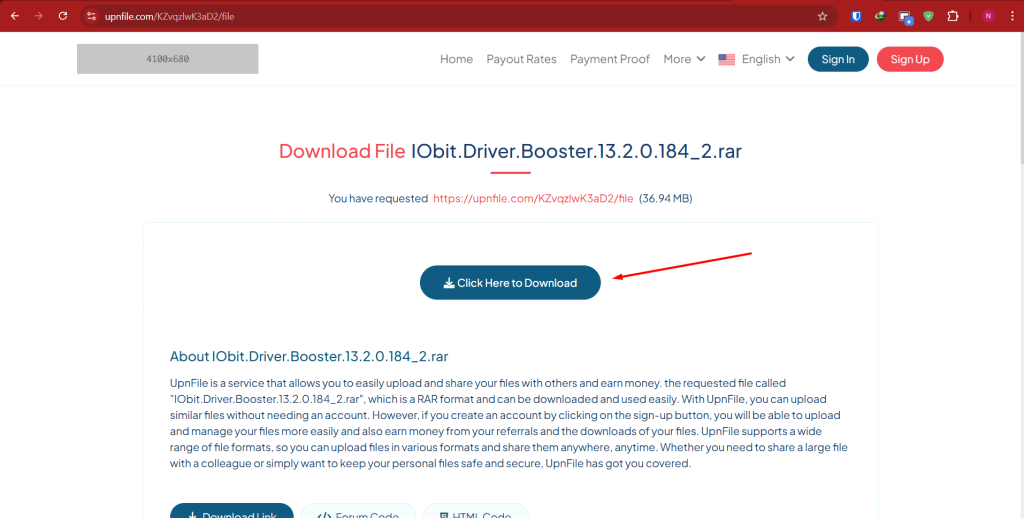
🟣 Method 2: UploadCafe
🔹 Step 3: Verify Captcha
Click the UploadCafe link. Check the box “I’m not a robot” and click “Continue to Download Page”.

🔹 Step 4: Download File
The file will be prepared instantly. Click the green “Download Now” button.

✅ Pro Tips for Better Experience:
- Use IDM: For faster download speed, we recommend using IDM (Internet Download Manager).
- Server Busy? If UpnFile is busy or slow, please try the UploadCafe link.
- Broken Link? If you find any error, please leave a comment on the post.
Olá, eu baixei o arquivo, foi super rápido, porém pede uma senha para descompactar. Pesquisei em todo o site, mas não encontrei. É possível disponibilizar para mim no email acima?
Which software?