
Free Download Manager is a strong and versatile download accelerator and organizer that streamlines and enhances the process of downloading files from the Internet. It is available on multiple platforms, including Windows, macOS, Linux, and Android, and is accessible to a broad audience. The program is free and open source, which makes it appealing to users who like transparent software solutions.
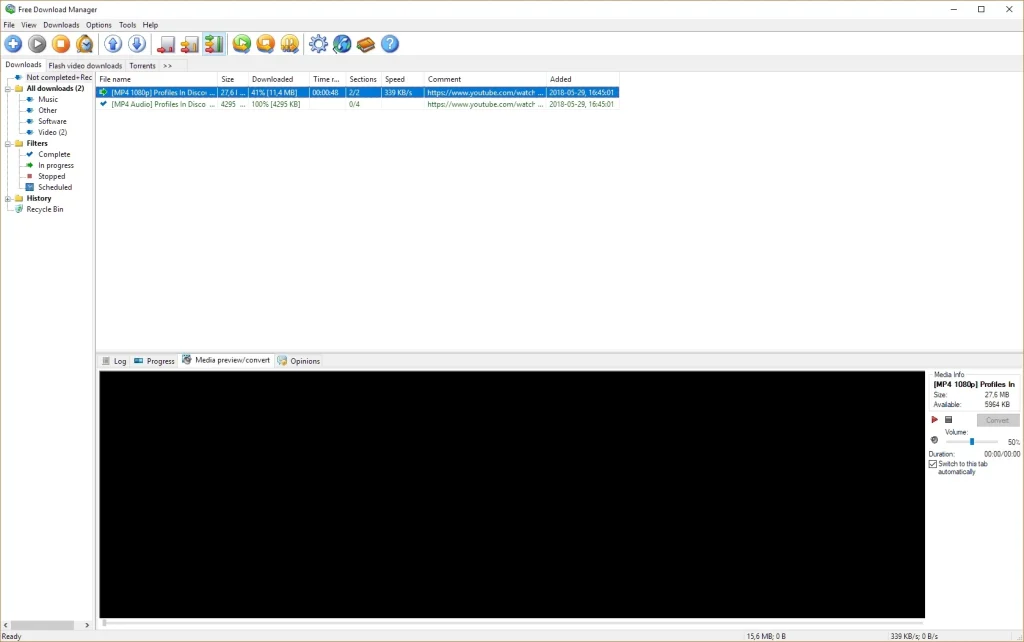
Key Features of Free Download Manager Software.
FDM splits data into smaller parts and downloads them simultaneously, resulting in much faster download speeds. This function offers more efficient bandwidth consumption and speedier downloads than traditional techniques. Supports several file types. FDM supports a wide range of file types, including video, audio, documents, and software packages. It smoothly works with browsers such as Chrome, Firefox, Edge, and Safari, automatically recording downloads.
BitTorrent support
Free Download Manager has built-in BitTorrent support, so users can download torrent files without needing a separate torrent client. This integration is convenient for people who frequently download content using peer-to-peer networks. Resume downloads. Interrupted downloads can be inconvenient, especially for large files. FDM offers download resumption, allowing users to resume downloads from where they left off without restarting the process.
Bandwidth Management
Users can set download speed limits to prevent their internet connection from being monopolized. This is beneficial for multitasking since it allows downloads to run in the background while other online activities continue unaffected.
With Free Download Manager, users can preview audio and video files before they are fully downloaded. This tool is handy for evaluating the material before proceeding with a full download.
File organization
Downloads can be automatically classified by file type or manually sorted into user-defined folders. This contributes to a neat and accessible download library.
Scheduled downloads
Users can schedule downloads to start at a specified time, making it easy to download large files during off-peak hours to save bandwidth.
Remote control capability.
FDM enables customers to manage downloads on their devices from anywhere, using a dedicated browser or mobile app. Lightweight and user-friendly. Despite its extensive feature set, FDM is lightweight and straightforward to operate. The user interface is simple and accessible to both novice and professional users.
Safe downloads
FDM uses HTTPS/SSL protocols to ensure safe file transfers. It can also scan downloaded files for malware, providing secure and reliable downloads.
Cross-platform synchronization
Users can sync their download settings across devices, making it easier to manage downloads while switching between a PC and a smartphone.
Benefits of Using a Free Download Manager
Affordable: FDM is entirely free, with no hidden costs or premium editions.
Open source ensures transparency and community-driven development.
Customization: Numerous options for modifying download behaviour, notifications, and performance.
Community assistance: The large user base and active community offer valuable support and troubleshooting tools.
Conclusion
Free Download Manager is a robust program that can handle a wide variety of downloading tasks. Its strong capabilities, ease of use, and versatility make it an excellent choice among free download managers. Whether you’re downloading large files, torrents, or audiovisual content, FDM provides a reliable and fast solution.