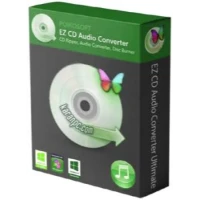
Are you looking for a versatile tool for ripping CDs, converting audio formats, editing metadata, and burning discs? EZ CD Audio Converter is here to meet all of your audio demands! This all-in-one software supports over 50 file types, including MP3, FLAC, WAV, AAC, WMA, OGG, APE, and others, ensuring compatibility with any device or platform.
With cutting-edge encoding technology such as AACPlus and compatibility for Nero Digital (AAC), EZ CD Audio Converter provides superior audio quality. Advanced users can even employ command-line encoders to create custom processes. Rip CDs, convert files, change track information, and burn Audio CDs, MP3 DVDs, or data discs all from a straightforward interface.
Are you ready to streamline your audio workflow? Download and install EZ CD Audio Converter now! Once you’ve experienced it, let us know how the review compares to your experience. Did we cover all of your favourite features? If you notice anything missing, please leave a comment below. Begin mastering your audio projects today!
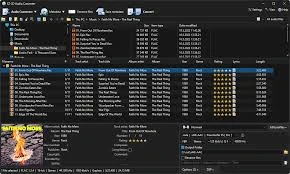
Features of EZ CD Audio Converter 2026.
- Supported Audio Formats: EZ CD Audio Converter supports a wide range of audio formats, including MP3, FLAC, AAC, WAV, and more, making it easy to convert files between multiple formats.
- User-Friendly Interface: The software features an intuitive interface, making it easy for users of all skill levels to explore and use its sophisticated capabilities.
- High-Quality Audio Conversion: EZ CD Audio Converter ensures the audio conversion process preserves the original audio quality, including its richness and clarity.
- CD Ripping and Burning: The EZ CD Audio Converter allows you to extract audio tracks from CDs and convert them to digital formats. It also lets you burn audio files to CDs or DVDs, creating personalised music discs.
- Metadata Retrieval and Editing: The software automatically retrieves and organises metadata, including artist names, album titles, and track information. In addition, you can change and adjust the metadata to your liking.
- Advanced Audio Processing: EZ CD Audio Converter includes tools such as normalisation, fade-in/fade-out, and silence removal, which help improve the quality of your audio files.
- Batch Conversion and Multi-Core Processing: The software supports batch conversion, allowing you to convert multiple files simultaneously. It also uses multi-core processing to improve performance and accelerate conversion.
- Enhanced Performance and Speed: EZ CD Audio Converter is designed to convert audio files quickly and efficiently. It uses cutting-edge algorithms to provide fast conversion without sacrificing quality.
- Audio File Format Compatibility: The software supports a wide range of audio devices, including smartphones, tablets, media players, and more, so you can listen to music across multiple platforms.
- Integration with Online Music Services: EZ CD Audio Converter 2024 works flawlessly with prominent online music services, giving you access to an extensive collection of music for conversion and download.
System requirements for the EZ CD Audio Converter 2026
To use EZ CD Audio Converter smoothly, your system must match the following criteria:
- Operating system: Windows 11, 10, 8, 7 (32-bit and 64-bit).
- Processor: Intel Pentium IV or later.
- RAM: 1 gigabyte or more
- Hard Disk Space: 50 MB.
Portable EZ CD Audio Converter
Portable EZ CD Audio Converter allows you to take your audio toolkit on the move! No installation is necessary; run it from a USB or external device. It is ideal for audiophiles and pros, as it includes all desktop functionality, allowing you to convert, edit, and burn audio at any time and from any location without leaving a trace on the host computer.