Need to clone a hard disk, SSD, or memory card? Donemax Disk Clone (also known as DMclone) is the utility you need. It allows you to replicate the complete contents of one disk drive onto another, resulting in two identical drives with the same file structure. Clone data securely and effortlessly from any source to a new device.
This powerful disk-cloning software makes upgrading to a new hard drive much easier, without reinstalling Windows. Donemax Disk Clone Enterprise ensures that cloning runs smoothly, safely, and efficiently. Download Donemax Disk Clone Enterprise today to make disk cloning dependable and straightforward!
Have you ever used DoneMax Disk Clone? Please share your experience in the comments! Did we highlight the features you value the most, or did we overlook something? Your feedback is appreciated!
Features of Donemax Disk Clone:
Efficient Disk Cloning Software.
DMclone for Windows is one of the most excellent disk cloning programs. It allows you to securely and efficiently clone HDDs, SSDs, memory cards, USB flash drives, and other devices from one location to another. You may also use it to upgrade an old hard drive to a new one without reinstalling Windows.
Partition Clone Mode.
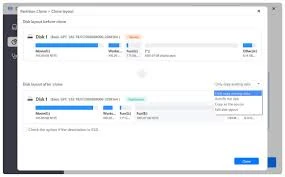
Partition-level disk copying mode. Clone a hard drive partition to a different hard drive partition or device, or transfer data from an external device to your hard drive partition.
Disk Cloning Mode
Disk-level disk cloning mode. This mode allows you to effortlessly clone a complete hard drive to another hard drive or an external device, and to clone data from an external device to your hard drive.
Supported devices include desktops, laptops, HDDs, SSDs, USB flash drives, memory cards, digital cameras, RAID, and other digital devices.
File systems include NTFS/NTFS+, exFAT, FAT12/16/32, Ext2/3/4, and others.