
Defender Remover is a simple application that disables the built-in Windows Defender. Defender is a nice, free, and effective tool, but it consumes a lot of resources and deletes data it shouldn’t. All cracks, activators, and repacks are quarantined without exception. If you are tired of fighting it, this software can help.
Defender Remover is free to download, portable, and does not require installation.
- The biggest advantage is its simplicity: there is no need to meddle with the registry, group policies, or GPEDIT.MSc; 50% of the users have no idea what it is.
- Downloaded, ran as administrator, and that was it.
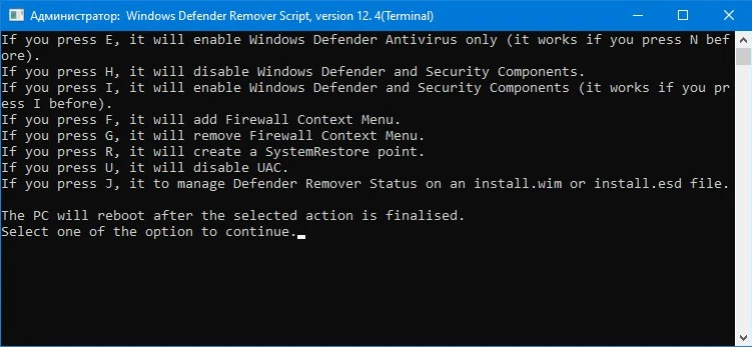
- The interface is console-based; choose the desired item by letter, and the application will reboot your machine and apply the modifications.
- The application does more than disable Defender; it also turns off several related services. These include Windows Security App, SmartScreen, Web Threat Service, Microsoft Defender App Guard, VBS security virtualisation, UAC file virtualisation, and other security features. Essentially, the system is left fully unprotected.
Remember, before launching this program, make sure you have or intend to use another antivirus, especially if your machine is always online. While you can run it without protection, I wouldn’t advocate it unless you’re sure what you’re doing. If you change your mind, the application includes a reverse function that restores all services.