Upscen Database Workbench Pro is a complete software solution that provides a unified platform for developing various sorts of databases. The software allows you to connect to one or more database servers simultaneously, then build structures, create tables, and populate fields with the necessary information.
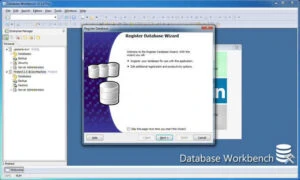
Features of Database Workbench Pro:
Data Model Design
• Create and expand from a single conceptual data model to many DBMS-specific physical models.
- Reverse engineer current databases to produce graphical summaries.
• Create sub-diagrams to clarify complex databases and organise tables based on specialised functions.
Visual Object Editors and Modern Code Editor
- Using graphical editors, you can create and alter database objects without having to remember special SQL syntax.
- With the editors, you can easily create database objects, copy DDL statements, duplicate objects, view data, and much more.
• Database Workbench’s user interface is uniform across DBMS modules and includes current code editing tools.
Stored Routine Debugging.
- Debug your database’s stored procedures, functions, packages, and triggers.
• Follow a routine step by step and utilise “trace into” to see what’s happening.
Productivity Tools
Numerous productivity tools are available:
• Two-way Visual Query Builder.
- SQL and parameter insights.
- Code and SQL catalogues.
- Object and code templates.
- Drag and drop objects.
Database Comparison and Migration
• Create a “change script” by comparing the development and production databases.
- Automatic data type and default function mapping allows you to compare databases across several database systems.
- Move metadata structures from one database system to another.
Transfer, import, and export data.
• Database Workbench contains a datapump tool that allows you to swiftly transfer data between databases and any ODBC or ADO data source.
- You may also import and export data in many formats, including CSV files. Large files (more than 2GB) are supported.