Are you looking for a dependable way to restore lost data from your iPhone? Introducing Coolmuster iPhone Data Recovery! This Windows software is intended to help users recover files or data mistakenly deleted or lost during a factory reset. Coolmuster iPhone Data Recovery simplifies the procedure with its intuitive UI and powerful functionality. This app can help you recover lost images, contacts, messages, and other crucial data. Don’t allow data loss to ruin your day; download Coolmuster iPhone Data Recovery now to regain access to your critical information!
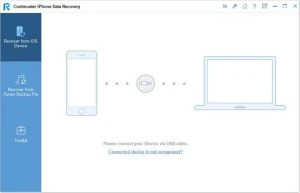
Features of Coolmuster iPhone Data Recovery:
No backup? You can recover directly from the iOS device.
Want to recover an iPhone without a backup? To complete the task, use the “Recover from iOS Device” method in this iPhone data recovery software.
Recover from the iOS device. Without a backup, you can recover lost or deleted contacts and messages from your iOS device. (Additional data types will be supported soon.)
Easy iOS Data Recovery Procedure. Only three steps are needed: Connect your iOS device to your PC, preview and pick files, and then recover.
A Better Way to Restore iPhone from an iTunes Backup
Whether you lost data due to unintentional deletion, iOS upgrade/downgrade, jailbreak failure, factory reset, or a broken iPhone screen, etc. This iPhone data recovery program lets you selectively restore from an iTunes backup, provided you backed up before the data loss.
Scan iTunes Backups Quickly. Scan iTunes backups and list them with details such as name, time, size, and version.
Choose the files you want to restore. Before restoring, you can browse the iTunes backup and extract the desired files to a custom folder on your PC. No data will be wiped from your iPhone.