A decent Windows player that can play a variety of video formats at excellent resolution. Many people use it to play Blu-rays and DVDs. Of course, you can play other popular formats. The DVDFab Media Player is available for download below.
The player also supports Blu-ray and DVD ISO images. The interface is odd; I’m used to more traditional solutions in this area, but it’s not intimidating; everything is clear and straightforward, and it’s enjoyable to use.
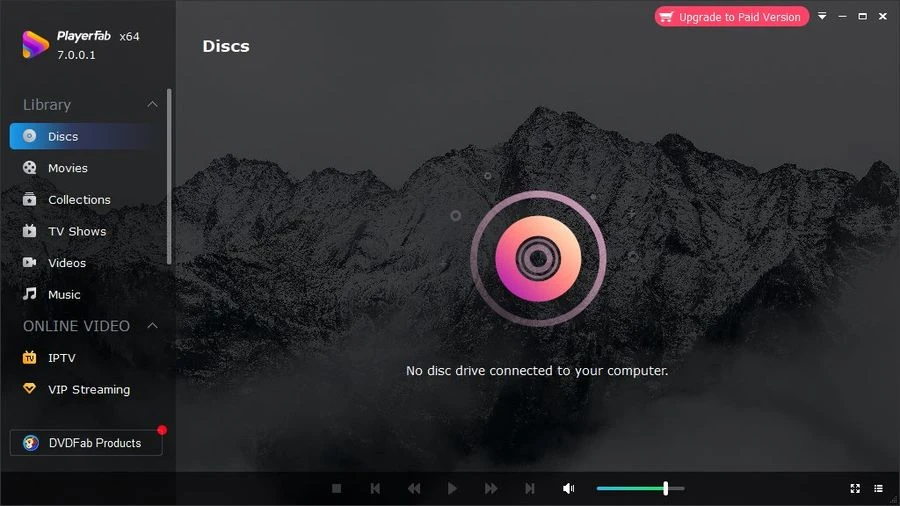
- If you select the option to play movie folders, DVDFab Media Player will combine all of the separate files into a single movie for free, just like a DVD. You can watch the film without stuttering and preview the different parts at 1-minute intervals.
- It is also possible to show DVD titles. They are to the right of the main image. These two features can be accessed via two small icons in the bottom-right corner. In addition, the application automatically skips through the movie folder. If you load the first movie file and it ends, the following one will start immediately.
- The user can either load movies using the menu icon in the control field or by dragging and dropping a file or folder into the application window. Additional options can be accessed via the main menu, which is hidden behind a small icon in the top-right corner. Among other things, the player’s appearance can be changed from there by selecting one of the provided skins.
- If you enjoy viewing TV shows on your computer, you’ll appreciate DVDFab Media Player’s function that saves the last played position. The auto-pause feature when minimizing the software is also helpful.
Please keep in mind that by activating DVDFab Media Player Ultra with a key, you will gain access to all its features without taking any further steps. However, the program has been renamed PlayerFab, and its appearance has been dramatically improved. Russian support is provided, and activation is also offered. Feel free to use it; things have only grown better.