I’d want to elaborate on the idea of tracking a little. If you’ve already installed Windows 10—and I believe 90 percent of you, like me, have—you’ve probably been irritated by Microsoft-supplied software that shows up on your machine without your awareness, simply because the corporation wants it that way. The open-source Windows 10 Debloater project removes this program in an instant, without even thinking. It’s as simple as clicking, and it’s gone; it’s also accessible in Russian.
This application is essentially a collection of scripts you execute with Windows PowerShell, presented in a simple shell that is easy to see, click, and browse, avoiding needless steps or experimentation.
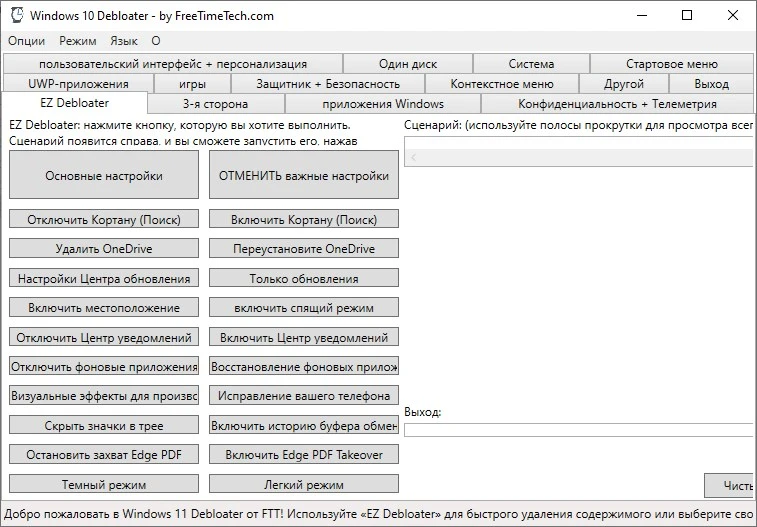
The author clearly put in a lot of work. Each function has its own section, a brief description, and a color code to facilitate navigation. You can update user interface parameters, change security settings, use the context menu, modify system parameters, and do a variety of other tasks. All of this is provided in a convenient movie. I believe the screenshot above says it all.
Naturally, you can turn off telemetry in Windows 10 with a simple click. There are many other programs of this type on our website, but this one piqued my interest, and I hope you will as well.